
We compared what each developer says about its own app. The rows below come from App Store and Google Play listings and the apps’ websites, checked on 4 October 2026. Pushgard is our app, so read its row with that in mind.
Three ways to pay for screen time with exercise
The apps below share one idea and differ in the deal they offer.
- An unlock window: you do a set and get a block of time, such as 15 or 60 minutes, whatever you do in it.
- Minutes per rep: each counted rep adds minutes, and the minutes run down while you use a locked app.
- A daily goal: the apps stay locked until you finish the day’s reps, then open for the rest of the day.
Minutes per rep is the most direct: a short set buys a short visit. A window is simpler to understand. A daily goal suits a morning routine.
The seven apps at a glance
| App | Unlock deal | Exercises that unlock | Platforms | How it is paid for |
|---|---|---|---|---|
| Pushgard | Minutes per rep, spent only inside locked apps | Push-ups, squats, crunches, plank | iPhone, Android | Lock free; subscription adds rate choice and a commitment mode |
| Pushscroll | One push-up gives one minute | Push-ups, squats, lunges, jumping jacks, diamond push-ups, squat holds, sit-ups | iPhone, Android | Subscription required for full access, free trial |
| PushUp Time: App Blocker | Window of 15, 30, 60 or 120 minutes | Push-ups, squats, sit-ups | iPhone, iPad | Premium subscription |
| ScrollToll | Minutes per rep, up to 2 hours banked | Push-ups free; squats and overhead reaches with Pro | iPhone, Android | Free with ads and 2 sessions a week; Pro removes limits |
| ScrollFit | Set reps per unlock, plus short breaks after a mini workout | Push-ups or squats | iPhone | See the listing |
| PushBlock | A push-up goal per app | Push-ups | iPhone | Free, no subscriptions or ads (per the listing) |
| PushUpLock | A daily push-up goal unlocks the day | Push-ups | iPhone | See the listing |
All seven say they count with the camera. PushUpLock also offers a floor detection mode, and ScrollToll uses motion sensors alongside the camera.
What each app is built around
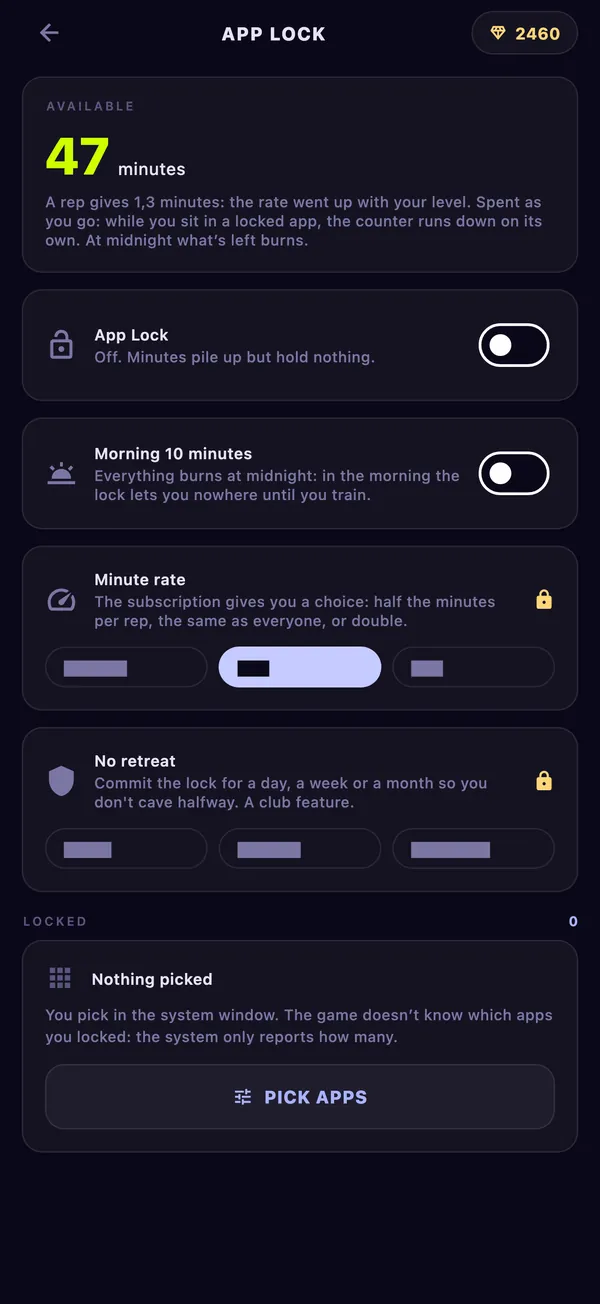
Pushgard is a workout game with an app lock. Every rep the camera counts adds minutes: one per push-up at the start, rising with your hero’s level to two. The clock runs only while you sit in a locked app, whatever is left burns at midnight, and ten minutes carry over to the morning unless you turn that off. Squats, crunches and plank earn minutes through a weight, so the same effort is worth about the same. The same reps also move you up the tower and count in the arena.
Pushscroll trades one push-up for one minute and has the longest exercise list here, plus guided workouts. Its listing says a subscription is required for full access after a free trial.
PushUp Time: App Blocker gives you a fixed window after a set, lets you unlock one app or all of them, and works without internet. Its listing names monthly and yearly Premium plans.
ScrollToll sells minutes per rep, banks up to two hours and shows your five most-used apps. The free version has push-ups only, two sessions a week and ads.
ScrollFit is built around modes and schedules: night mode, focus hours, instant locks, and a “take a break” pass after a mini workout.
PushBlock sets a push-up goal per locked app and tracks usage before and after blocking. Its listing says all features are free.
PushUpLock is a morning routine: apps stay shut until the daily push-up goal is done, with ranks and streaks on top.
Which one fits what you want
If you want short visits to cost short sets, look at a minutes-per-rep app: Pushgard, Pushscroll or ScrollToll. If you would rather earn a fixed block of time, PushUp Time and ScrollFit work that way. If you want one workout to open the whole day, PushUpLock does exactly that.
On Android your choice is narrower: of these seven, Pushgard, Pushscroll and ScrollToll list an Android app. If you want variety in exercises, Pushscroll lists the most. If you want the lock to be part of something bigger, Pushgard ties the same reps to a game and to duels with other people.
Where Pushgard is different, and where it is not
The lock, the minutes and the morning ten minutes are free. A subscription adds a choice of rate (half or double the minutes per rep) and No retreat, which commits the lock for a day, a week or a month. On iPhone the lock uses Apple’s Screen Time, and the game only learns how many apps you picked, not which.
It does not have schedules or focus modes, and it does not unlock by walking or by exercises outside its four. If schedules matter to you, one of the others may suit you better.
Setup takes a couple of minutes: how to block apps until you exercise walks through it on both phones, and the app blocker page has the rules in one place.